A simple API which combines projects from a multiple sources into it's own streamlined interface. Built with go.
https://hub.docker.com/r/michivonah/projects-api
- Go 97.2%
- Dockerfile 2.8%
| Filename | Latest commit message | Latest commit date |
|---|---|---|
| .forgejo/workflows | ||
| internal | ||
| .gitignore | ||
| Dockerfile | ||
| go.mod | ||
| go.sum | ||
| main.go | ||
| README.md | ||

projects-api
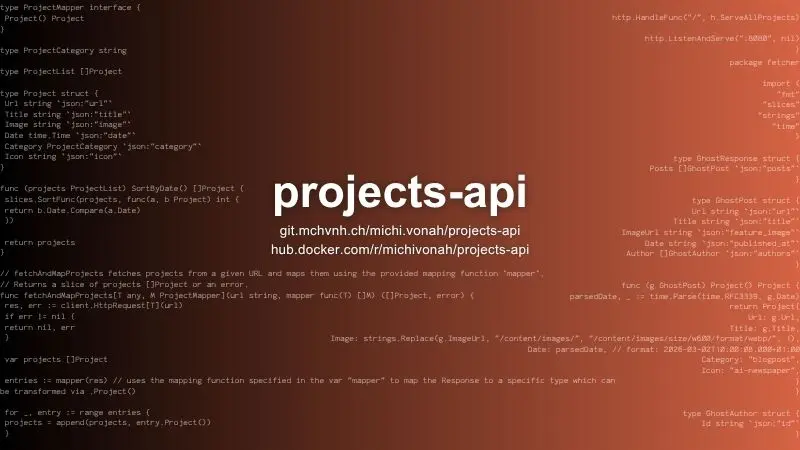
A simple API which combines projects from a Ghost Blog, a YouTube Playlist and a generic JSON file into it's own streamlined interface. Built with go.
Features
- Built with go for efficiency & simplicity
- Runs in a container of just 9 MiB size
- Combines multiple API outputs into one (Ghost, YouTube & generic JSON)
- 0 external dependencies, just the go standard library
Available API integrations
- Ghost Content API
- YouTube Data API v3
- Generic JSON URL (example format seen below)
Generic JSON URL Format
- The URL specified for the generic JSON URL should return projects using this pattern/format:
[
    {
        "url": "https://example.com",
        "image": "https://example.com/some-image.webp",
        "title": "Some project title",
        "date": "2024-11-03T00:00:00Z",
        "category": "some-category",
        "icon": "some-icon-name"
    },
    {
        "url": "https://example.com",
        "image": "https://example.com/some-image.webp",
        "title": "Some project title",
        "date": "2024-11-03T00:00:00Z",
        "category": "some-category",
        "icon": "some-icon-name"
    },
    {
        "url": "https://example.com",
        "image": "https://example.com/some-image.webp",
        "title": "Some project title",
        "date": "2024-11-03T00:00:00Z",
        "category": "some-category",
        "icon": "some-icon-name"
    }
]
Configuration
- The appliaction can be configured via env vars or an
.envfile in the execution directory - The follwing parameters are available
| Parameter | Default value | Definition | Example |
|---|---|---|---|
ALLOWED_ORIGINS |
"" |
Defines which URLs should be returned in the HTTP Header Access-Control-Allow-Origin; comma-separated-values alllowed |
http://localhost,http://localhost:1313,http://localhost:8080 |
GHOST_API_KEY |
"" |
API Key for calling the Ghost Content API | 0cc92e62dba94b8c4c70774bfb |
GHOST_API_URL |
"" |
Location of your Ghost Content API | https://ghost.example.com/ghost/api |
GHOST_ALLOWED_AUTHORS |
"" |
Defines the authors which posts are returned by the API (like a filter), comma-separated-values alllowed | 02cd090d7cab08ac8e43e065eb |
YOUTUBE_API_KEY |
"" |
Your API Key for accessing the YouTube Data API v3 (get key here) | AIXXXXXXXXXXXXXXXXXXXXXXXXX_YYYYYYYYYYY |
YOUTUBE_PLAYLIST_ID |
"" |
The ID of the YouTube Playlist which is fetched via the YouTube Data API v3 | PL94KYRU3UMF_eA-59jLSb9yBBie9JB819 |
GENERIC_JSON_URL |
"" |
A URL to a JSON file (format as seen above) | https://example.com/projects.json |
- If you want to use one of the available API integrations, you have to pass all related env vars for this service. It's possible to skip entire services be leaving it's variables empty.
- For example you can disable the Ghost API by leaving
GHOST_API_KEY,GHOST_API_URLand/orGHOST_ALLOWED_AUTHORSempty. The call's to the Ghost API only are enabled if all of those three variables are defined. The same principal applies to the YouTube & JSON API.
Build
To build the software yourself you need go installed on your system.
Then build like this:
go build -o projects-api .
And run it locally:
projects-api
Deploy yourself via Docker/Podman/OCI
By passing variables
docker run --rm -p 8080:8080 --env ALLOWED_ORIGINS=http://localhost,http://localhost:8080 --env GENERIC_JSON_URL=https://example.com/projects.json -d docker.io/michivonah/projects-api:dev
Docker compose:
services:
    projects-api:
        ports:
            - 8080:8080
        environment:
            - ALLOWED_ORIGINS=http://localhost,http://localhost:8080
            - GENERIC_JSON_URL=https://example.com/projects.json
        image: docker.io/michivonah/projects-api:dev
With env file
docker run --rm -p 8080:8080 -v ./.env:/app/.env -d projects-api